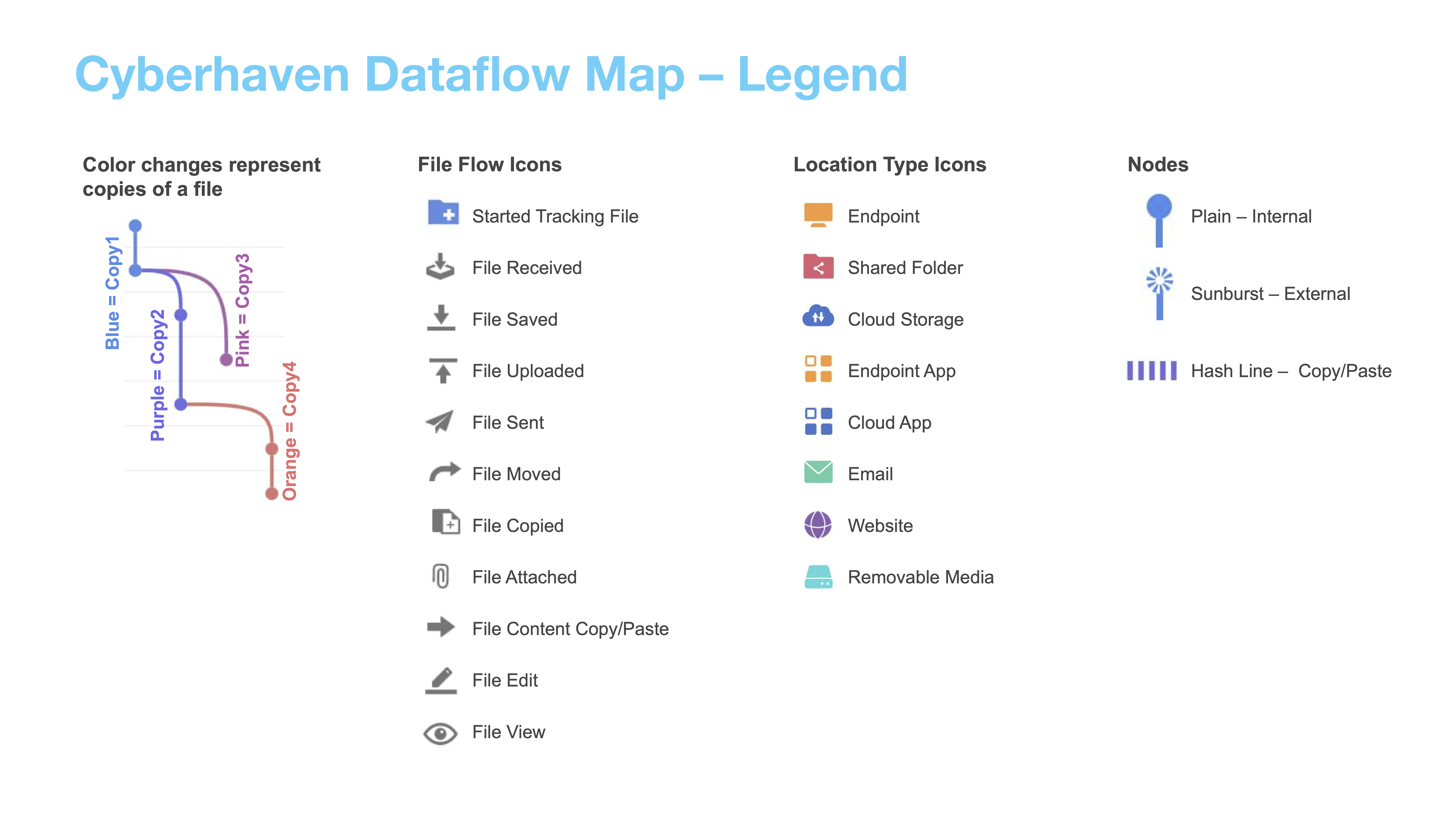
Understanding Dataflows
Cyberhaven provides two lineage views, Simplified and Legacy that help you understand how data travels through your environment.
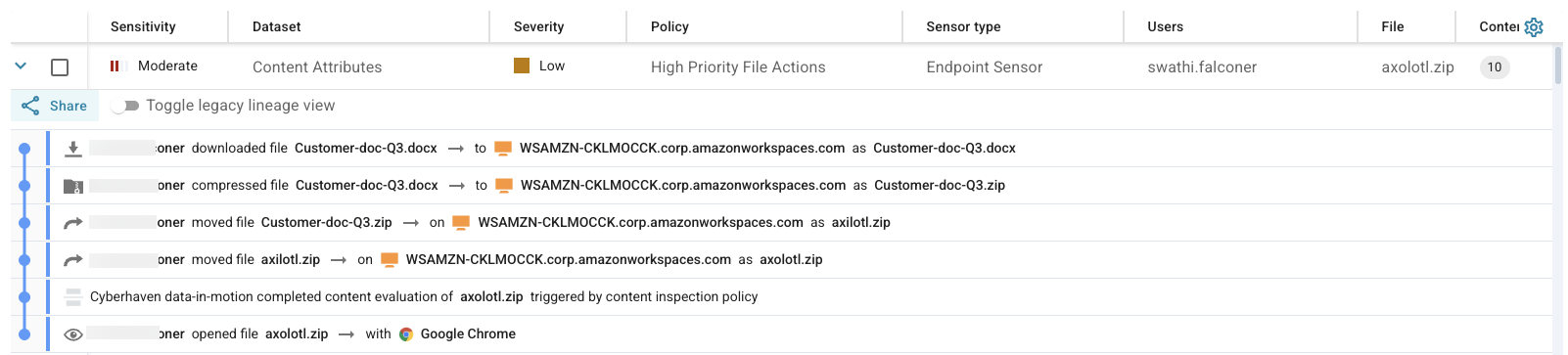
Simplified Lineage View
- Default view designed to provide a clean, direct narrative of a file's journey.
- Focuses solely on the core user actions that form a continuous chain of events.
- Example: Highlights the sequence of a user downloading, compressing, and then moving/renaming a file, followed by opening it in Chrome.
- Hides related but non-continuous or background events, making it easy to follow the file's primary flow.
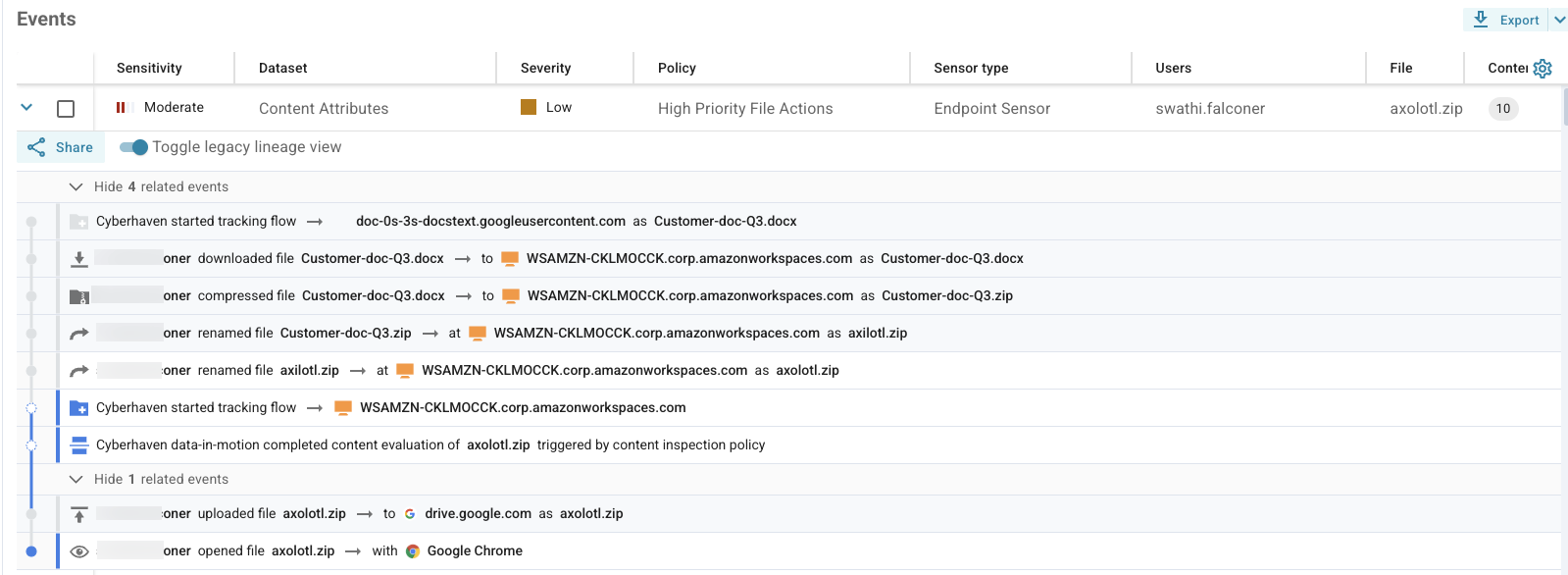
Legacy Lineage View
- Offers a comprehensive, detailed perspective.
- Includes all events, even those that may seem unrelated or are part of background processes.
- Example: In addition to core user actions, shows events like "Cyberhaven started tracking flow" and "Cyberhaven data-in-motion completed content evaluation," which are background processes.
- Designed for security analysts who need to examine every detail to understand the complete history and context of an incident.
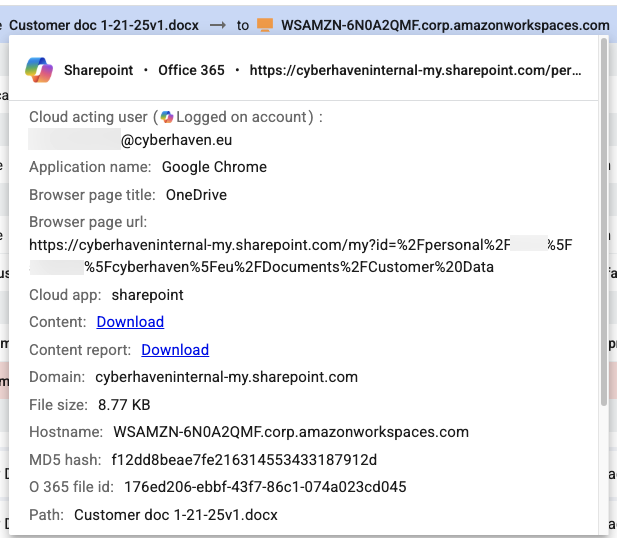
Event Details
- Clicking on each event in a dataflow reveals additional information, such as the full URL, file size, hash values, and more.
- Cyberhaven tracks documents even if they are manipulated or copied, using data tracing capabilities.
- Data can be logically grouped using conditional filters, and security policies can be applied to protect both the original source data and any copies or derivatives.
Dataflow Legend
- A visual legend is available to help interpret the different elements and actions represented in a dataflow.